Call Routing Software: Rules, Caps, and Real-Time Distribution
Route inbound calls to the right buyer based on your rules. Priority, weight, geography, time of day, caps, and fallback are all checked in one batched pass the instant a call arrives. The same routing engine powers calls and form leads, so one contract covers both channels.
Real-Time
Routing decision
10+
Routing strategies
Calls + Forms
Channels, one engine
Atomic
Cap enforcement


The Basics
What call routing software does
In plain English: it decides who gets the call, when they get it, and how many they get.
A phone rings on a tracking number. In the fraction of a second before the caller hears anything, call routing software decides which buyer gets the call. Rules you set drive that decision: which buyers want calls from this state, which ones still have room under their daily cap, which ones pay the most, and which ones are open right now.
The routing layer is where pay-per-call operators make and lose money. Route to the wrong buyer and the call drops or converts at a lower rate. Miss a cap and you damage a buyer relationship. Route late and the caller hangs up. Good call routing software gets the right call to the right buyer, fast enough that the caller never notices.
Lead Router treats call routing as a set of contract evaluations. Each buyer-offer pairing is a contract with filters, caps, and pricing. When a call comes in, every eligible contract is evaluated in a single batched pass, and the offer's distribution rule picks the winner. Same model for calls, same model for form leads.
Routing Strategies
Ten ways to decide who gets the call
Mix and match. Most operations use three or four strategies stacked together. A contract might combine priority, geography, day-parting, and caps in a single rule set.
Priority routing
Order buyers from first choice to last. The top-priority buyer who qualifies for a call gets it. If the top choice is capped, disabled, or filtered out, routing falls to the next in line. Used when one buyer consistently pays more or converts better and should always see the call first.
Weighted and percentage routing
Split calls between eligible buyers by percentage. Set three buyers at 50, 30, and 20 and Lead Router honors that mix across a rolling window. Weighted routing works well when you have several buyers of similar quality and want to grow one account without starving the others.
Round-robin
Rotate calls evenly across eligible buyers in order. Each qualifying buyer gets the next call until everyone has received one, then the cycle restarts. Simple, predictable, and fair. Often the first strategy a new operation uses before switching to priority or weighted.
Geographic routing (state, zip, city)
Filter contracts by state, zip code, or city. A buyer licensed only in Florida sees only Florida calls. A contract restricted to 50 specific zip codes in the Dallas metro sees only those. When a buyer sets more than one geo filter, a call must match all of them, so a buyer can limit both state and zip.
Day-of-week and time-of-day routing
Contracts carry a schedule. A buyer who answers calls Monday through Friday 9am to 6pm in their local timezone gets routed only during those hours. Outside the schedule the contract is skipped and the call falls to the next eligible buyer. Schedules are timezone-aware so you do not have to do the math.
Instant failover
The dial waterfall moves to the next eligible buyer the moment a leg fails, rings out, or is declined. The caller hears no dead air and nobody has to re-dial by hand. Every attempt is recorded with its ring time and end reason, and a buyer only counts as the winner once its leg is confirmed answered.
IVR-based branching
A caller can press a key in an IVR menu to choose the next step. The choice can send the call to a buyer, another destination, or an end message.
Cap-aware routing (daily, weekly, monthly)
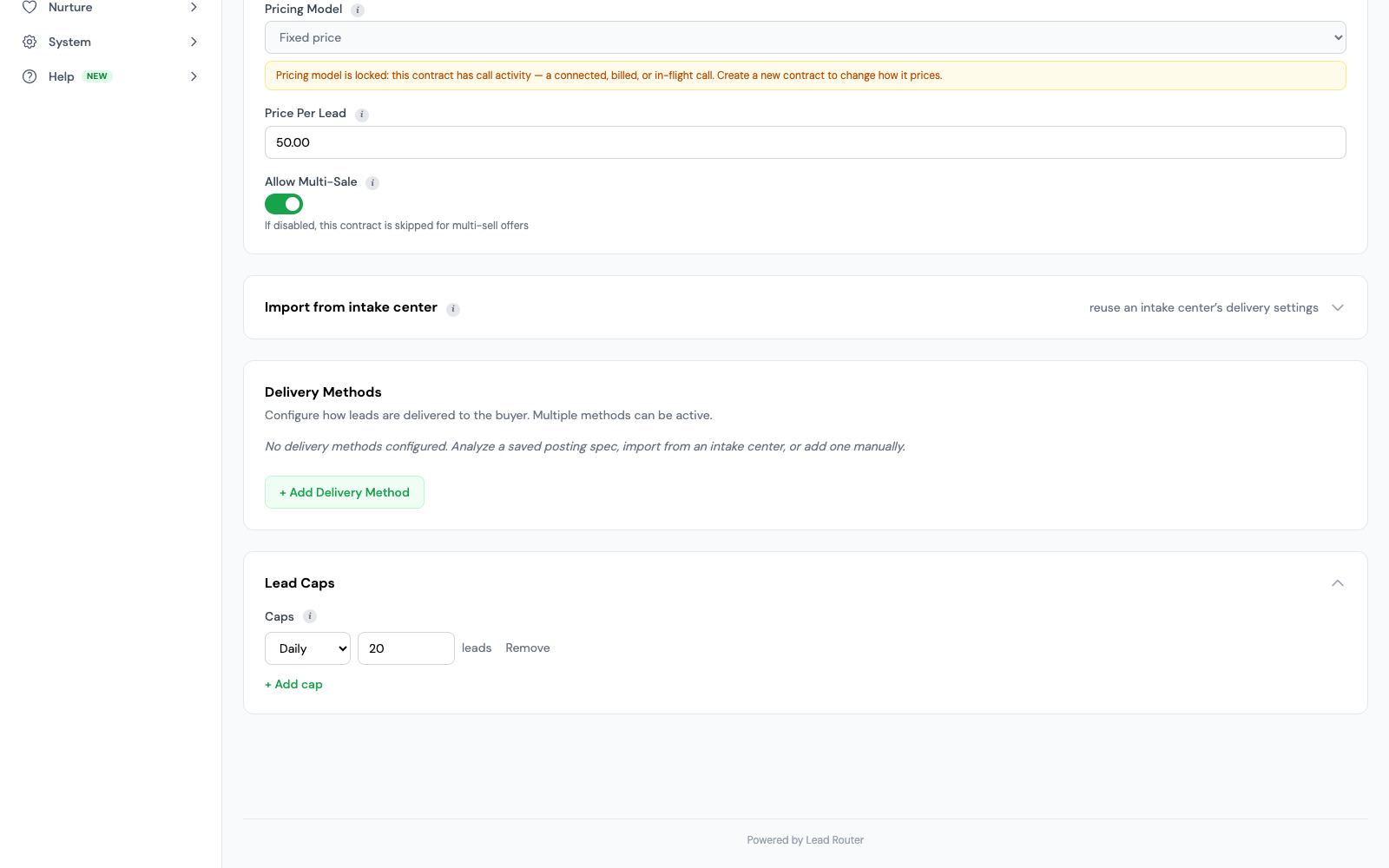
Every contract can set daily, weekly, and monthly caps. When a contract hits its cap, Lead Router skips it during evaluation and the call flows to the next eligible buyer. Cap counters update one at a time, so two calls arriving at once cannot both push a buyer past the limit.
Fallback and overflow rules
Waterfall fallback is the default. If no primary buyer qualifies, routing cascades through secondary contracts. You can also designate overflow buyers who only see calls when primary capacity is exhausted. Fallback is built into the routing waterfall, not a separate feature.
A trace for every call that did not route
When nothing matches, you get the reason. The engine writes a trace row for every contract it evaluated (which filter rejected the call, which cap was full, which buyer was closed), and the dial waterfall records every attempt it made before giving up. A call that failed to place becomes a record you can debug.
Routing controls
What makes Lead Router's call routing different
Lead Router was built as one routing system from the start, with calls and form leads sharing the same contracts, filters, and caps.
One routing engine for calls and form leads
The filters, caps, priority rules, and contracts you use for calls are the same ones used for web form submissions. A buyer who takes both channels uses one contract. One system to learn, one place to update rules, one source of truth for caps.
Atomic cap enforcement across distributed instances
Cap counters update one at a time, so two calls arriving together cannot both push a contract past its daily, weekly, or monthly limit. This holds even when several servers handle calls at the same time.
Contract-based filtering, not global routes
Every buyer has their own contract with their own filters. Buyer A wants calls from five states; Buyer B wants calls from three zip codes in one state. There is no shared global route tree to untangle.
Batched contract evaluation
The platform loads buyer data in batches instead of making a separate database request for each contract.
Who Uses This
Use cases
Call routing software earns its keep in any operation where calls feed more than one buyer and the rules matter.
Pay-per-call affiliates
Buy media, route calls to the highest-paying buyer who qualifies, respect daily caps, rotate buyers to keep the network healthy. The core loop of affiliate pay-per-call is a routing loop.
Direct advertisers
Insurance, mortgage, solar, legal, home services. A direct advertiser with a national footprint routes calls to licensed agents by state, zip, or specialty, and enforces day-parting for call center hours.
Multi-vertical agencies
Agencies running several verticals at once (auto insurance, final expense, Medicare, solar) need one routing layer that handles all of them. Contract-based filtering keeps each vertical's rules separate.
Standalone Tools
How Lead Router's call routing compares
Standalone call-routing products work if calls are your whole operation. If you also run form leads or need one set of reports, a separate call tool means a second bill and a second set of compliance rules to manage.
A standalone call routing product gives you the basics: tracking numbers, IVR, routing rules, caps, and call recording. It does not distribute form leads, it does not share compliance data with your messaging tools, and it usually bills per minute on top of a platform fee.
Lead Router gives you the same call-routing tools plus form-lead ping-post, built-in email/SMS, and one bill for all three. If you only run pay-per-call affiliate traffic, with no form leads or messaging, a standalone tool is a fair choice. If you run anything else, one platform means fewer vendors and simpler reporting.
For a head-to-head comparison against one of the better-known standalone tools, see Lead Router vs Ringba.
Pricing
What you actually pay
Lead Router combines calls, form leads, and messaging in one account. Your monthly plan includes usage credits. Extra use, call minutes, and any carrier charges follow the published rates.
Usage-based
One plan, with credits for usage
No feature tiers
Every routing strategy, cap type, and filter is available to every tenant. Nothing is locked behind an upgrade. Metered services like call minutes and the AI dialer bill by usage.
Before going live
Test routing and delivery before sending live traffic.
Route to buyers that can actually take the call
Eligibility, call capacity, and the answering buyer's workspace work together.
Availability and wrap-up
Buyers with browser calling can use the call workspace and supported picture-in-picture controls. After wrap-up, the agent must click Go Available to take calls again. Browser and account requirements still apply.
Capacity and repeat callers
Concurrency limits protect a buyer's active-call capacity. Optional caller deduplication can skip a buyer who already connected with that caller, even when caller affinity would otherwise favor that buyer.
RTB validity and SIP delivery
When call RTB is enabled, the platform checks bid expiry, capacity, and readiness before delivering the call. SIP destinations need valid configuration. Call RTB is in controlled rollout, and integration prerequisites apply.
Explain each attempt
The call timeline records each dial attempt, its outcome, and the expected ring time. Use it to tell a caller hangup from a failed buyer attempt before you change failover or ring settings.
Frequently Asked
FAQ
The questions operators ask before choosing a call routing platform.
What is call routing software?
Call routing software decides which buyer receives an inbound call. It checks rules such as buyer priority, weighted split, location, time of day, and caps, then sends the call to the matching buyer in real time. In a pay-per-call or lead-generation business, this is the logic that turns a ringing number into revenue.
How does Lead Router's call routing work?
Lead Router checks every eligible contract against the incoming call in one batch. Each contract runs its filters (geo, demographic, custom fields), checks caps and buyer balance, and returns a bid if it qualifies. The offer then picks winners by price, priority, weight, or round-robin. Because all contracts run in one batch, not one round trip each, the routing decision is fast. Most of the total time comes from your buyers' own endpoints.
Can I route by state or zip code?
Yes. Contracts support geographic filters by state, zip code, or city. A contract can accept calls only from California, only from a list of zip codes in Texas, or any combination. When a buyer sets more than one geo filter, a call must match all of them, so a buyer can limit both state and zip.
What happens when a buyer is capped?
When a contract hits its daily, weekly, or monthly cap, Lead Router skips it during evaluation and the call falls through to the next eligible buyer. Cap counters update one at a time, so two calls arriving at once cannot both push a contract past its limit. Fallback is built into the waterfall, not a separate feature.
Can calls and form leads use the same routing rules?
Yes. Lead Router uses a unified routing engine for calls and form leads. The contracts, filters, caps, and distribution rules you set up for one channel work for the other. A buyer who takes both calls and form leads uses one contract, not two, so rules only need to be maintained in one place.
How do I set up call routing?
Call routing is configured through contracts between buyers and offers. Create a contract, set filters (geo, demographic, custom), set caps (daily, weekly, monthly, concurrency), set pricing, and attach it to an offer. The offer controls distribution logic (priority, weight, round-robin, price). All of this is available in the admin UI or through the public API.
Route Every Call
Put your call routing on one system
Set up a contract, set the rules, and start routing. The same engine handles your form leads when you are ready. Usage-based pricing, no feature tiers.
Every module included at no extra license fee.