Lead Cap Management: Hourly, Daily, Weekly, and Monthly Volume Controls
Cap management controls how many leads each buyer takes per period. Lead Router enforces caps with atomic counters in the capCounter table and timezone-aware rollovers so oversells do not happen and period resets land in the buyer's business day, not UTC.
Atomic
Increment model
Timezone-aware
Period rollovers
Hourly / Daily / Weekly / Monthly
Period types
The Basics
What cap management is
How operators control buyer volume without oversells.
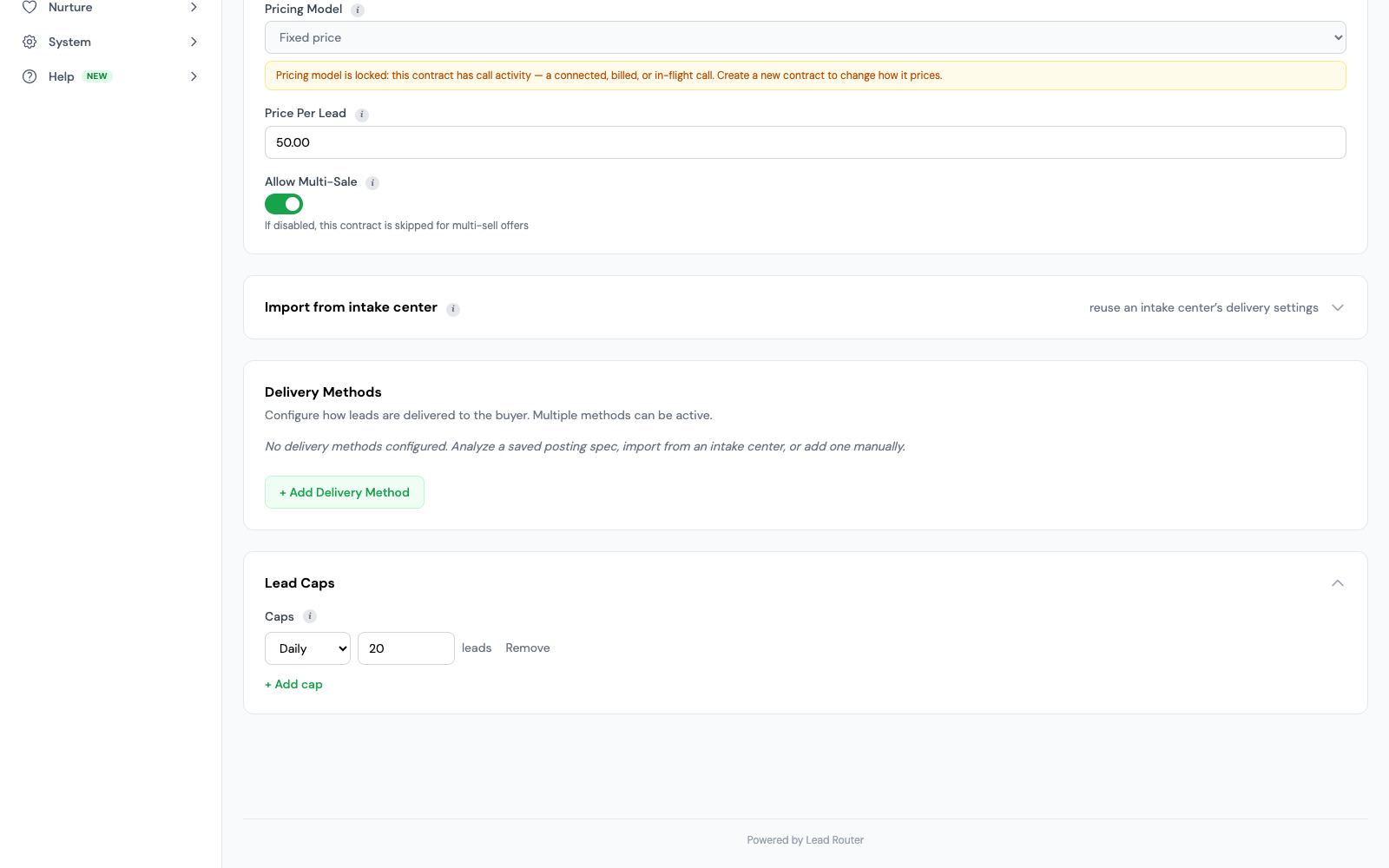
Cap management decides how many leads a buyer contract will accept in a given period. Every contract can set an hourly cap, a daily cap, a weekly cap, and a monthly cap. Once a cap is hit, the contract stops taking new leads until the period resets. Caps are how operators honor a buyer's budget, a carrier's weekly allotment, a lender's daily commitment, or a local agent's crew capacity.
Each contract has its own caps. The system checks capacity during routing and reserves a slot when needed. Daily, weekly, and monthly periods follow your account time zone.
Capabilities
What Lead Router's cap management does
Six capabilities that make cap enforcement hold up in production.
Four period types per contract
Set hourly, daily, weekly, and monthly lead limits on each buyer contract. Use one limit or combine them. When any limit is reached, the contract stops taking new leads until that period resets.
Atomic counter increments
The system checks and reserves capacity in one step. This prevents two leads that arrive at the same time from claiming the same last slot.
Timezone-aware period rollovers
Caps use the timezone set on your account. Daily caps reset at midnight, weekly caps at midnight on Monday, and monthly caps at midnight on the first of the month. Buyers in that account share these reset times.
Caps enforced during the ping phase
Cap checks run inside the ping auction. A capped contract does not return a bid, so capped buyers are never in the pool of possible winners. This keeps the list of checks clean, saves work on offers with many contracts, and keeps the source from seeing stale bids from buyers who cannot take the lead. Capped contracts are logged in leadDistribution with the exact reason, so the audit trail is complete.
Per-period visibility in the admin
The admin dashboard shows the remaining cap for every active contract across all four period types. You can sort contracts by how close they are to their cap, so you can spot the ones about to hit it. Each contract page shows live counts, the next reset time in your timezone, and a history of past resets. Alerts fire at 90% and again at 100% of any daily, weekly, or monthly cap. Hourly caps are enforced but do not send their own alert.
Cap increments tied to sale, not ping
A ping alone does not use a sold-lead slot. The full lead must reach the sale step. Failed delivery releases the reserved slot. For later returns, your return settings decide whether capacity comes back.
Use Cases
Who runs caps this way
Four buyer profiles where cap management keeps volume and spend on plan.
Auto insurance carriers
Carriers with strict monthly budgets set a monthly cap that matches the budget in dollars, then set a daily cap of about the budget divided by business days so spend lands evenly. Without a daily cap, one hot day on a ping-post offer can burn a full month of budget in eight hours.
Medicare carriers during AEP
Annual Enrollment Period runs October 15 through December 7. Carriers with AEP weekly surge caps raise weekly limits on the agent-rich contracts and drop them back on the others. Weekly caps reset at midnight Monday in the tenant timezone, so the allotment lands on a predictable boundary instead of a UTC one.
Mortgage lenders
Set a daily cap to limit how many leads a lender can buy. Caps set a maximum; they do not guarantee delivery volume. Daily caps reset at midnight in your account timezone.
Solar installers
Local installers are limited by crew availability. A daily cap of 6 leads per installer matches crew throughput. When the cap is hit, the contract stops taking leads, so the installer does not get buried on Monday and cancel on Wednesday. The dashboard shows which installers are near cap so intake can shift volume.
Common Mistakes
What operators get wrong about caps
Cap problems to watch for
Incrementing on ping instead of sale
A ping that never becomes a sale must not use a sold-lead slot. Failed delivery releases its reserved capacity so another lead can use it.
Using local-server timezone instead of tenant timezone
Cap resets that fire at UTC midnight mean a California carrier’s daily cap resets at 4pm local time the day before. A team spread across regions sees caps reset in the middle of the business day and gets blamed for oversells that are really the reset catching the tail of yesterday’s traffic. Lead Router computes every period boundary in the tenant timezone.
Allowing race conditions on concurrent writes
Separate read and write steps can let two requests claim the same last slot. Lead Router checks and reserves capacity together, so only the remaining number of slots can be used.
Manage volume, spend, and live capacity
Apply each limit at the level where your agreement needs it.

Layered limits
Combine lead, call, and spend caps across buyers, contracts, and supply settings. A buyer must pass every limit that applies; raising a contract cap does not bypass a stricter parent limit.
Choose what counts
Call caps can count by the basis you configure instead of treating every dial as a sale. Check whether the agreement counts attempts, answered calls, or qualifying outcomes before you set the limit.
Concurrency and reservations
Active-call capacity is separate from daily volume. Reservation and release rules keep concurrent calls within capacity while routing moves through eligible buyers.
Returns and time boundaries
Your return settings decide whether capacity is restored. Daily, weekly, and monthly boundaries follow the tenant timezone, so reports and limit resets use the same business day.
Frequently Asked
FAQ
The questions operators ask before running caps on a platform.
What's a lead cap?
A lead cap is the most leads a buyer contract will accept in a set period. When the cap is hit, the contract stops accepting new leads until the period rolls over. Operators use caps to enforce a buyer’s budget, a carrier’s weekly allotment, or a local agent’s crew capacity. Lead Router supports hourly, daily, weekly, and monthly caps per contract, and each can be set on its own.
Can I cap by hour, day, week, and month?
Yes. A contract can have an hourly cap of 10, a daily cap of 50, a weekly cap of 300, and a monthly cap of 1,000 at the same time. The first limit reached stops new leads. Each cap resets at the start of its next period.
When does the cap reset?
Caps use the timezone set on your account. Daily caps reset at midnight, weekly caps at midnight on Monday, and monthly caps at midnight on the first of the month. Buyers in that account share these reset times.
What about oversells on concurrent traffic?
The system checks and reserves capacity in one database step. If 20 leads arrive at once, only the number that fits the remaining capacity can pass. Two requests cannot both claim the same last slot.
Does a rejected sale count against the cap?
No. A ping alone does not use a sold-lead cap slot. The full lead must reach the sale step. Failed delivery releases the reserved slot. Settings for later returns decide whether that capacity is restored.
Run Caps That Hold
Put your caps on atomic counters
Hourly, daily, weekly, monthly caps per contract. Atomic increments so no oversells under concurrent load. Timezone-aware rollovers so the buyer's business day matches the reset. Caps enforced during the ping so capped buyers never bid on leads they cannot take.
Every module included at no extra license fee.